The payment of tuition and all associated fees is the sole responsibility and obligation of the registering student.
Payment of fees can be made via wire transfer, PayNow (for Singapore bank accounts only), or international payment options.
An official receipt will be issued upon receipt of payment and sent via quickbooks@notification.intuit.com. Applicants are advised to ensure that emails from this address are not directed to spam or junk folders.
Bank to Wire Transfer
Beneficiary: DigiPen Institute of Technology Singapore Pte Ltd
Bank Name: Citibank, N.A., Singapore Branch
Bank Address:
Transaction Exchange Centre
8 Marina View, #16-01 Asia Square Tower 1
Singapore 018960
Account Number: 0-850262-004 (For payment to Singapore Bank)
Swift Code: CITISGSG
Bank Code: 7214
Branch Code: 001
Please indicate your full name and/or billing references.
PayNow Transfer
Payment option for Singapore Banks only.
Unique Entity Number: 200711322H or QR Scan
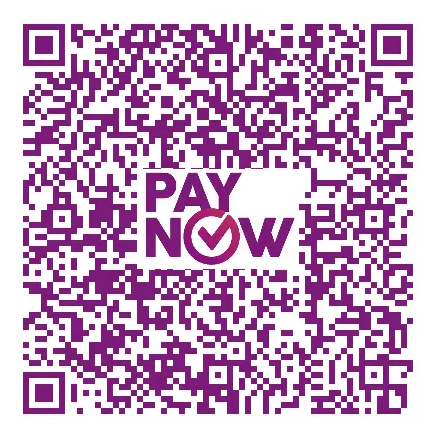
Please indicate your full name and/or billing references.
Other International Payment Option

Click or scan Convera QR Code
Note: Min S$2,000- for Alipay option
The international payment option is facilitated via Convera GlobalPay for Students. The steps to complete a payment are as follows:
Step 1: In the “Where is your bank located” field, select the country where your bank account is based.
Step 2: Enter the payment amount in Singapore Dollars (SGD) as indicated.
Step 3: Click “Get a Quote.”
Step 4: Select your preferred payment method from the available options.
Step 5: Enter the required student information and address details, including your Student ID (or Passport Number).
Step 6: Enter the payer details and click “Proceed to Payment.”
Step 7: Verify that all details are correct, then complete the transaction using the provided payment instructions. Click “Submit” to finalize the payment.